
Flintlamp ERP · Printers
Your printers, whatever the brand.
Bambu Lab printers show their own status. Any other printer joins by hand today, and Klipper and Snapmaker U1 printers are next. The costs, the queue and the record work the same for all of them.
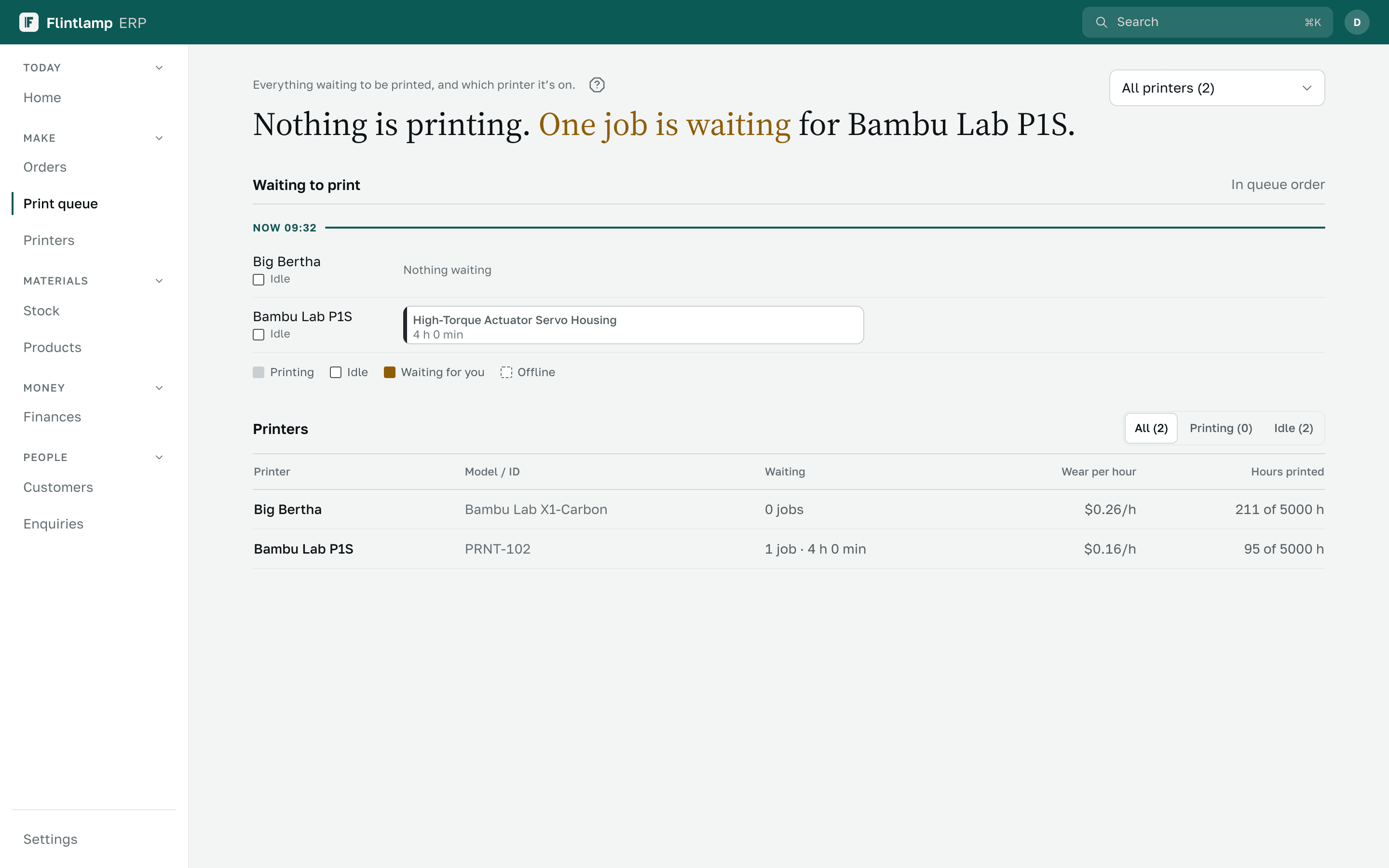
Example dataPrices in USD
The problem
A farm is rarely one brand. One tool shows some printers, a notebook holds the rest, and nobody sees the whole farm or what each machine earns.
What works with which printer
Bambu Lab, from your Bambu account.Preview
Sign in once and your Bambu Lab printers appear with their status, their print history and the filament loaded in the AMS.
Any printer, by hand.
Add any 3D printer by name, record its prints and see its queue, its cost and what it has earned. Nothing needs to be connected.
The same costs on every printer.
Printer time, electricity, upkeep and failed prints are counted the same way for every machine, so printers can be compared fairly.
It reads. It never controls.
We read status, history and filament. We never start, stop, pause or change a print: that stays with you and your slicer.
Klipper printers.Coming next
Printers that run Klipper with Moonraker join through Flintlamp Connect, a small app on a computer in your workshop. Early access.
Snapmaker U1.Coming next
The first Klipper printer we are building for. It comes in through the same Flintlamp Connect app.